
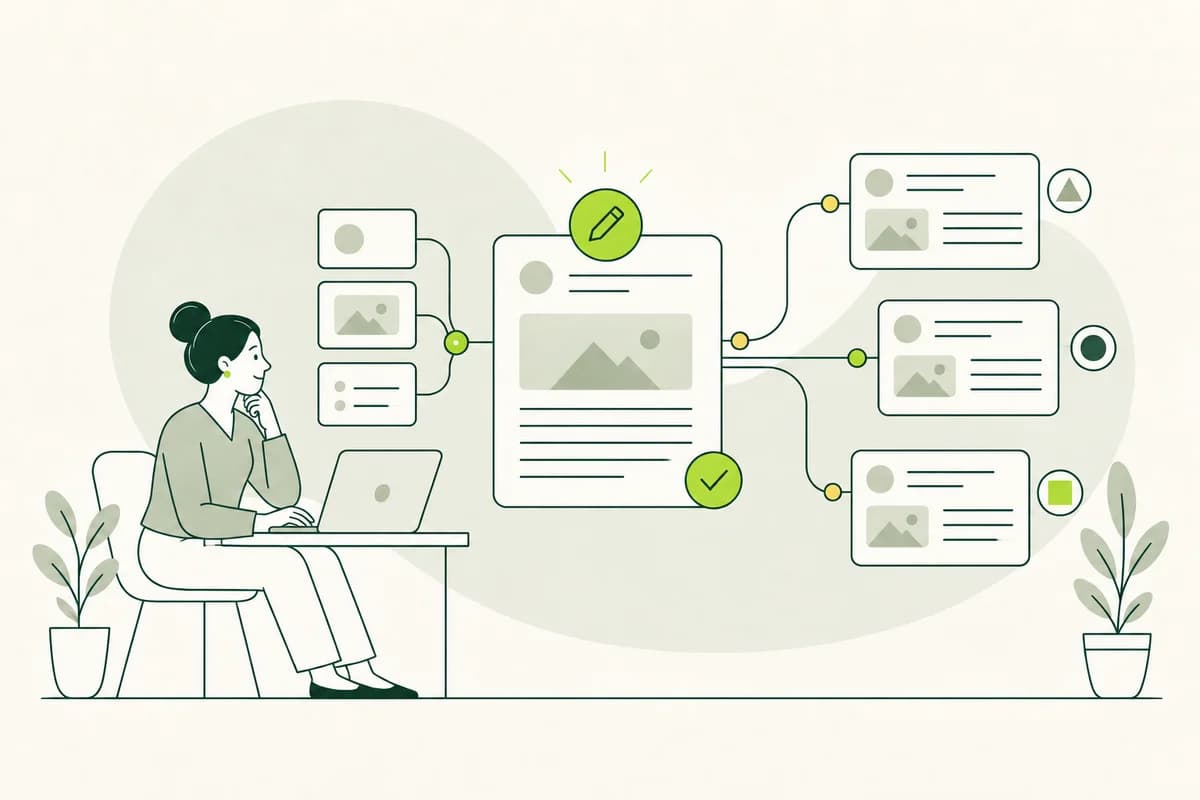
Drupal keeps language versions closely linked to the original content
A multilingual website involves more than just translated menus. Visitors expect to find the same content in their own language and remain at the same location after switching languages. Drupal can link different translations of a piece of content. This ensures that a German service page, its English counterpart, and other translations are clearly recognized as belonging to the same topic, even though their texts are edited individually.
This connection is valuable for editorial teams because it reduces the number of disconnected copies they need to manage. While editing, users can see which languages are available and where a version might be missing. However, Drupal does not make linguistic decisions for the editorial team. A technically generated translation can still be incomplete, outdated, or difficult to understand. Quality ultimately depends on strong source texts, careful translation, and appropriate review processes.
In addition to different languages, some services require multiple language variants within the same language. For example, a standard German page might be supplemented by a version in "Easy Language" (Leichte Sprache). This type of relationship differs substantively from a translation into English. Therefore, before creating content, it is important to clarify which versions are direct translations and which offer a distinct approach tailored to a specific audience.
A clear content structure facilitates every language version
Drupal organizes content using content types and fields. A content type might be an event, a service, or a news item, for example. Fields contain specific details such as titles, summaries, addresses, and contact information. This type of breakdown aids the creation of language versions, provided it is based on the content's meaning. A single large text field obscures important details, whereas clearly named fields assist editorial teams in ensuring complete translations.
The structure should reflect the questions readers ask rather than internal organizational responsibilities. For an advisory center, fields for the topic, contact persons, opening hours, and appointment booking are more useful than fields containing department codes. This makes it easier for translators to identify the information they are working with. Output on overview pages also remains consistent because Drupal can reuse the same data in multiple locations without the need to rewrite it for every text.
However, using too many small fields can fragment the content. A coherent notice becomes difficult to read if every sentence is managed separately. Opt for dedicated fields only where information needs to be displayed differently, filtered, or frequently updated individually. Explanatory paragraphs should be preserved to maintain a logical flow. A well-designed Drupal structure supports the editorial team without turning natural language into a form filled with countless fragments.
Switching languages must lead to the same topic
A clearly visible language switcher is only helpful if it leads to the right destination. A user selecting English while viewing a page about a public park pass expects the English version of that specific topic. Being redirected to the English homepage interrupts the task and forces the user to search again. Drupal can generate links to existing translations, provided the content items are correctly linked and the language switching function is properly configured.
If a translation is missing, the website needs to respond honestly. A link should not lead to a blank page or silently revert to German when English was selected. Depending on the content, the unavailable language option can either be hidden or accompanied by a clear explanatory note. For critical information, a contact method should also be provided so that users can receive support in the language they need.
Language labels also require attention. Names should appear in a form recognized by native speakers rather than being represented solely by flags. A flag represents a country, whereas a language may be spoken in many countries. Test the language-switching function on small screens and via keyboard navigation. It is part of the navigation system and must be just as accessible as the main menu.
Translations and language variants require different types of relationships.
The Drupal content translation module is designed for versions in different languages. Fields can be configured as translatable, while shared information remains unchanged. An English headline differs from the German one, whereas an internal ID number usually does not. This separation avoids unnecessary duplication of effort but must suit the specific content. An address might remain the same, while the accompanying directions could require translation.
"Simple Language" and "Easy-to-Read Language" are not simply other national languages. An Easy-to-Read version might select information differently, provide more detailed explanations, and use its own images. Treating it technically like a standard word-for-word translation creates false expectations regarding equivalence and content updates. Often, it is clearer to provide a separate, linked piece of content that explicitly identifies its language style and references the original source page.
The appropriate implementation depends on the specific content. It is important for editorial teams to understand the relationship between versions and for visitors to be able to switch between them directly. Drupal can establish these connections using reference fields - fields that point to another piece of content. This allows a page to be linked to its "Easy Language" version without implying that both texts share the same structure or can be automatically aligned sentence by sentence.
The editing interface should prevent linguistic errors.
When opening a piece of content, it must be immediately apparent which language or language variant is being edited. Otherwise, similar input forms increase the risk of German text ending up in an English version or an unverified change being published. Clear page titles, language indicators, and separate editing workflows help. Unnecessary fields should be hidden rather than confronting editorial teams with technical settings.
Help text next to fields can explain linguistic choices. For an image's alternative text, for example, a brief hint is more useful than just the label "alternative text." For a page title, the interface can remind the user to name the topic clearly. Such hints should be concise and placed next to the relevant input field. A lengthy manual located outside the system is rarely consulted during day-to-day publishing work.
Mandatory fields require a sound rationale. A summary might be essential for overview pages, whereas a decorative image does not need descriptive alternative text. Rigid requirements often result in placeholders or meaningless input. Configure Drupal to reliably capture necessary information while keeping exceptions understandable. Good forms guide the user through the content without replacing editorial diligence with mere form-filling.
Revisions make changes traceable and reversible.
Drupal can save previous editing states as revisions. A revision is a preserved version of content at a specific point in time. This is particularly helpful when multiple language versions are being reviewed or when a change has inadvertently resulted in a loss of meaning. Editorial teams can track what has been modified and revert to an earlier version if necessary, rather than reconstructing texts from emails or local files.
Informative notes regarding changes increase utility. A comment such as "Deadline changed to June 30" explains more than simply "updated." This allows translators to see which part of their version is affected and how urgent the adjustment is. The note should state the reason for the change without including sensitive internal information. This turns the revision history into a comprehensible narrative of the content rather than just a series of timestamps.
Revisions do not automatically resolve discrepancies in content. If the German source version is modified, the English translation technically remains in the system, even if its information is now outdated. Editorial teams therefore require a visible indicator or notification regarding relevant changes. It should be clear - especially concerning prices, deadlines, safety instructions, and contact details - which language version reflects the current information.
Moderation protects approved versions from premature publication.
Drupal allows content to be managed in states such as "draft," "review," and "published." The content moderation module links these states to revisions. For language versions, this means a translation can be edited and reviewed while the previously published version remains visible. Visitors do not see unfinished changes, and editorial teams do not need to exchange drafts outside the CMS.
The approval process should be commensurate with the content's risk level. An event announcement might only require an editorial check. Health-related information or a statement with financial implications requires an additional subject-matter review. For "Easy Language" content, a review involving the target audience may be part of the agreed-upon workflow. Drupal tracks the status but does not replace the professional decision regarding who needs to conduct the review.
Too many states and approval steps make the interface confusing. If every minor correction follows the same lengthy process, teams will seek workarounds or leave outdated information in place. Choose labels that editorial teams are familiar with from their daily work, and clearly indicate what happens at the next step. Effective moderation protects readers without unnecessarily blocking simple updates.
Shared content should not catch translations off guard
In Drupal, websites often consist of reused elements. A contact block, an accordion, or a notice might appear on multiple pages. While this reduces maintenance effort, it carries a linguistic risk. If a shared German component is modified, it may appear in various contexts. Before editing, it should be clear where the element is used and which translations are associated with it.
Media assets also require linguistic attention. The same photo may appear in multiple versions, but the caption and alternative text must suit the specific context. If an image contains visible text, a localized graphic or a full explanation is required. Drupal allows for centralized file management; however, the editorial interface must still distinguish between file details that apply generally and those written for a specific language version.
Menus and automatically generated overviews are easily overlooked. A translated article is of little use if its menu item is missing or a category appears only in German. Therefore, check not only the individual preview but also the path leading to it and the subsequent pages. Search results, filters, error messages, and confirmations are particularly revealing when it comes to whether the website maintains the selected language throughout the entire user journey.
Updates must reach all affected versions
A new language version is up-to-date on the day of publication. Subsequently, source content, responsibilities, and offerings change. Therefore, define which page serves as the authoritative source and which changes trigger a re-translation. A rephrasing that does not alter the meaning can be handled differently than a change in underlying conditions. Editorial teams need this distinction so that important adjustments do not get lost among numerous minor revisions.
Drupal can provide technical indications that content has changed, but a human must assess the significance of those changes. If a phone number is stored in a shared field, it may automatically appear up-to-date everywhere. Conversely, if an explanatory paragraph is modified, each translation requires individual editing. In the case of an Easy-to-Read version, the change might also necessitate a new explanation or a fresh review, rather than simply adopting the altered sentence.
Do not present visitors with misleading information regarding the content's currency. A generic date indicating when the data was last technically saved reveals little about whether the translation has undergone a subject-matter review. If a key version temporarily lags behind, the editorial team should decide whether it remains visible, receives a disclaimer, or is supplemented with contact details for assistance. The appropriate solution depends on the content, the duration of the delay, and the potential consequences of incorrect information.
A well-designed Drupal site remains understandable even outside the input interface.
The quality of a language version only becomes apparent on the published website. Test a complete user journey in every intended language: entry point, navigation, content, forms, and confirmation. Watch out for unexpected language switches, missing translations, and links that lead to the wrong topic. Correct Drupal settings are valuable, but visitors do not experience a configuration; they experience a coherent task.
Involve editorial teams and individuals from the target audience. Editorial teams can identify where the editing process might lead to errors. Readers can demonstrate whether terms, language switches, and explanations are truly understandable. For Easy-to-Read content, individuals with specific accessibility needs should be involved; their user experience cannot be fully replicated by automated testing tools or technical previews.
Drupal provides a robust foundation when content types, translations, links, revisions, and approval workflows work together in a clear and logical manner. Start with a key content path and clearly map out its variations. Real-world usage quickly reveals which fields, prompts, and states are helpful. This allows a multilingual offering to grow - one that not only includes numerous versions but also keeps them reliably usable.