An accessible version needs a fixed location
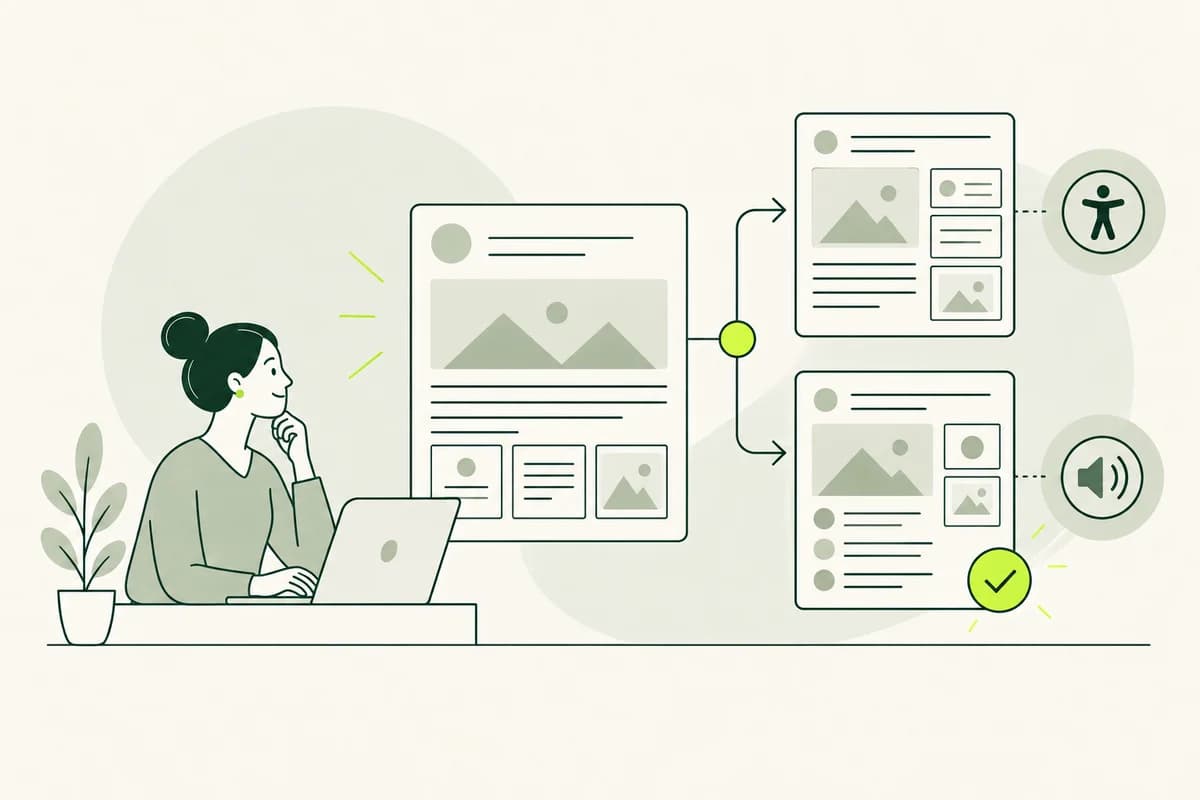
An accessible language version in TYPO3 should not be treated as just an arbitrary additional page. Readers must be able to access it from the corresponding standard page and navigate back again. It must also be clear to the editorial team which two pages belong together. This connection prevents the versions from diverging and contradicting each other.
TYPO3 manages multilingual websites using defined page languages. This model can also be used for an alternative language version if it suits the site's structure. Technical setup is usually handled by administrators. Editors then work with the languages available for their website and permissions within the backend.
Before creating the first piece of content, a decision should be made as to whether every standard page will have an accessible version or only selected areas. A citizen service might initially cover application forms and key contact pages. This decision impacts navigation and user expectations. A language switcher must not promise a version that is frequently missing on the target page. Search results and menus should also only point to accessible pages that actually exist.
Clearly linking the page and the language version
In TYPO3, a language version is created based on an existing page. First, the page itself is created in the desired language; subsequently, its content elements can be transferred. This ensures the connection to the source page remains visible within the system. It facilitates comparison and enables appropriate display in the website’s language switcher.
Page titles, navigation titles, and descriptions require their own clear, understandable wording. Prefixed editorial notes or copied standard titles must not be published inadvertently. The navigation title, in particular, should let readers know what to expect at the destination. Internal shorthand - such as "ES version" - is helpful in the backend but makes for poor public-facing labeling. Previews in search engines or when sharing content may also utilize specific page data and should therefore be checked as well.
A page is not complete simply because its main text has been transferred. Teasers, contact boxes, accordions, and notices can all be distinct content elements. Page properties also influence discoverability and presentation. Editors should view the entire version on the frontend to ensure no visible remnants of the default language or empty areas are overlooked. Forgotten images and automatically inserted contact details, in particular, often only become apparent at this stage.
Choosing between a connected version and a free version
For localized content, TYPO3 fundamentally distinguishes between a connected translation and a free copy. In connected mode, every transferred content element remains linked to its original counterpart. This makes it easier to compare subsequent changes against the source. This approach is suitable when both versions retain largely the same structure and elements.
A version that is easy to understand may require a different sequence, additional explanations, or fewer distractions. In such cases, a freely structured version can offer greater editorial flexibility. The trade-off for this freedom is a weaker link to the source; subsequent changes to the default page will not be flagged as discrepancies requiring review in the same way.
The choice should suit the content, not merely the most convenient button available during initial creation. A brief contact blurb is easily managed in connected mode. A long technical article, however, may require a different narrative flow to remain accessible. The decisive factor is whether editors can preserve the intended meaning and reliably identify future changes. Switching between models at a later stage can complicate existing relationships and expectations.
Editing content elements as a cohesive page
TYPO3 often divides a page into multiple content elements. While this structure aids in maintenance and design, it can obscure the overall context during rewriting. For instance, a sentence in an info box might refer to the heading of the preceding element. When working on each element in isolation, it is easy to overlook unclear references or repeat the same explanation multiple times.
It is therefore worth taking a look at the complete source page before you start editing. You can then enter the headline, introduction, and individual sections into TYPO3 without losing the overall train of thought. The preview allows you to check whether the spacing and sequence still make sense. Even a well-written text can become difficult to understand if the elements are arranged in the wrong order.
Elements with interactive controls require special attention. Accordions, tabs, forms, and downloads hide content or lead to a subsequent step. Their labels must be part of the accessible language version. If only the explanatory paragraph is adapted, the button might remain in the standard language, or a linked document might lead back to information that is difficult to understand. Form success and error messages must also match the language of the page.
Ensure reliable linking between versions
Whenever possible, internal links should point to a corresponding page within the same language version. An accessible guide loses its value if the next link abruptly jumps to a complex standard page. If no accessible target page exists yet, the link should make this clear or lead to an accessible alternative that serves the same purpose.
TYPO3 allows internal page targets to be selected via the link browser. This helps preserve the link if the visible URL changes later. Content editors should still verify which language page actually opens. A technically valid link can be incorrect in terms of content if it points to the standard version or an unpublished translation.
Cross-references within the text also require clear, descriptive link text. Phrases like "Learn more" or "Explained here" provide little context regarding what awaits at the destination. A phrasing such as "Clear explanation of housing benefits" clarifies the direction. In the frontend, it is also important to check that the return path, language switcher, and main navigation maintain the selected version. External destinations should be clearly identifiable, especially if no accessible version is available there.
Avoid mixing incomplete versions unintentionally
Depending on the website configuration, TYPO3 can either display missing content from another language or hide it. Such a fallback rule is sometimes helpful for related national languages. However, when dealing with accessible versus complex language, it can result in a mixed-language page. Readers then encounter a version of the content - one they had intentionally sought to avoid - right in the middle of the text.
The technical support team determines the fallback rule within the language configuration. The editorial team should be aware of its practical implications. If missing elements are not displayed, important conditions may disappear. If default content fills the gap, the page appears complete, even though it has not been fully processed for that language. Both scenarios require deliberate oversight.
One straightforward solution is to make only complete pages visible. For extensive sites, a clear explanation of which content is currently available serves as an alternative. The crucial point is that users should not have to guess. The visible language switcher, the page itself, and the linked destinations should all convey the same honest expectation. Furthermore, the chosen rule should remain clearly understandable even as new content elements are added.
Check the actual page before publishing
The backend editing view displays fields and content elements but does not reflect the full reading experience. The preview reveals navigation, layout width, images, and interactive elements. It allows you to spot issues such as awkward headline wrapping, a notice positioned too low, or a clear label being cut off by the layout.
TYPO3 Workspaces allow changes to be collected outside the public live version and displayed as a preview. This is particularly useful when multiple related pages or elements are to be published together. The availability of Workspaces and the specific approval process depend on the project. Even without them, it should be possible to safely view an unpublished version.
The review should follow a realistic user path. A person starts on the standard page, switches to the accessible version, opens an internal link, and locates the contact option. This reveals transitions that are not apparent when viewing individual content elements in isolation. A correct preview URL alone does not guarantee that visitors will find the same path. Mobile views and high magnification levels can expose additional issues with long, clear labels.
Publish related changes together
An accessible page often consists of several interdependent parts. If the new main text is published while the navigation or a linked form is still missing, the result is an incomplete user path. TYPO3 displays content based on visibility, timing, and permissions. Content editors should therefore look beyond the status of an individual text element.
For time-controlled information, both language versions must align. An event might already be cancelled in the default version, while the corresponding page still invites users to register. Start and end times for content elements are only effective if the associated changes have been properly prepared; dependencies regarding content cannot be resolved by a date alone.
Once published, it is essential to check the public-facing website. The preview and the live page may differ due to caching, access permissions, or embedded services. At a minimum, the entry point, language switching, and key links should be tested. This process transforms multiple published data records into a truly usable, accessible version. For time-sensitive content, this final check is particularly important immediately after the page goes live.
Detecting changes to the standard page in a timely manner
Accessible versions do not become outdated solely due to obvious factors like specific dates. A change in prerequisites, a new phone number, or the renaming of an agency can also render the information incorrect. In connected translation mode, TYPO3 can indicate that the source content has changed. This notification does not necessarily mean every single word change must be adopted, but it does require a review of the content.
The reviewer needs to determine exactly what aspect of the meaning has changed. A corrected comma might not affect the accessible version, whereas a new income threshold must be updated in all relevant locations. Comparing the content with the source helps, but crafting the new accessible wording remains a distinct editorial task and should be reviewed within the overall context. If the page links to a document, the status of that document must also be included in the review.
When content is simply copied rather than linked, the system does not provide a direct change notification. In such cases, the editorial team needs another reliable link - such as a shared identifier or documented responsibility for related pages. The specific form of this reminder is not the deciding factor; what matters is that a change to the standard page actually triggers a review of the accessible version. A simple creation date, by contrast, does not reveal whether the content remains consistent.
TYPO3 supports a website that remains consistently understandable
TYPO3 provides the necessary building blocks to link language versions, edit them independently, and publish them in a controlled manner. Their effectiveness depends on appropriate editorial decisions. Linked elements facilitate comparison, while independent content allows for a different structure. Language switchers and fallback rules determine which version visitors actually see.
For a website to be easily understood, the transitions between these building blocks matter. Page titles, content elements, links, and downloads must align. A preview visualizes the entire path, while simultaneous publishing prevents inconsistencies. When making future changes, the clear link to the standard page ensures the accessible version is not overlooked.
The goal is not to create an overly complex TYPO3 setup. Users should be able to find an accessible version, navigate through the site, and trust that the information is up to date. When the editorial team and technical support mirror this experience within the backend, TYPO3 becomes a reliable foundation for content that remains accessible over the long term. For this purpose, the simplest suitable structure is usually more valuable than numerous complex, obscure edge cases. It also remains easier for new editorial team members to understand.